
Welcome to the World of Friendrot.
 Get started — free for classrooms


Friendrot started as a side-hustle.
I'd watch my kids on their iPads — endless brainrot, ads everywhere, apps I wasn't comfortable with them playing. So I started building what I wished existed. Something fun. Something safe. Something they'd actually learn from. A timeless app stocked with quality lessons & classic games I grew up playing.
But kids don't care about "MathPlus Pro" or whatever. It needed a cool name. Friendrot. 8-year-olds get it instantly. It also needed a draw. Avatars. So I made 1,000 of them, gave them names, and built a shop around them. Then I built math and language games to unlock them. Kids love it.
Then teachers started using it. So I built classroom mode — free, forever. Same world, same safety, scaled to a whole roster. (Watch 24 kids play each other in chess on a rainy Wednesday — you'll get it.)
Parent? Friendrot has a family version too.
One subscription, all your kids, every game. Tap to learn more.
Classroom Code, Student Pin. Simple.
Create a classroom, bulk-add your roster by first name, print PIN slips from the dashboard. Students go to friendrot.com/join-class with the class code and their own PIN — no student emails, no passwords, no installs. Same muscle memory kids already know from every other classroom app.
25 hand-crafted math and language games
Built for Grades 1–6 (ages 6–12). Every game scales with difficulty, so a Grade 1 and a Grade 6 student can play the same game at the right level — no branching assignments needed.
11 head-to-head games
Classmates challenge each other — chess, checkers, Connect 4, and more. Within the classroom only — no public lobbies, no outside matchmaking.
Rewards Kids Care About
This is why kids come back.


1,000+ collectibles across 7 rarity tiers. Kids trade rare avatars with friends, flex their collection at school, and hunt for the ones they're missing — all fueled by GoldRot earned from math, language and multi-player games. Parents and teachers love that the collecting IS the practice loop.
Assignments, built in
Assign grade-aligned exercises to a single student, a group, or the whole class. Pick the exercise, set the question count, save. Students see their assignments the next time they log in and can save and resume. You get completion and accuracy in one view.
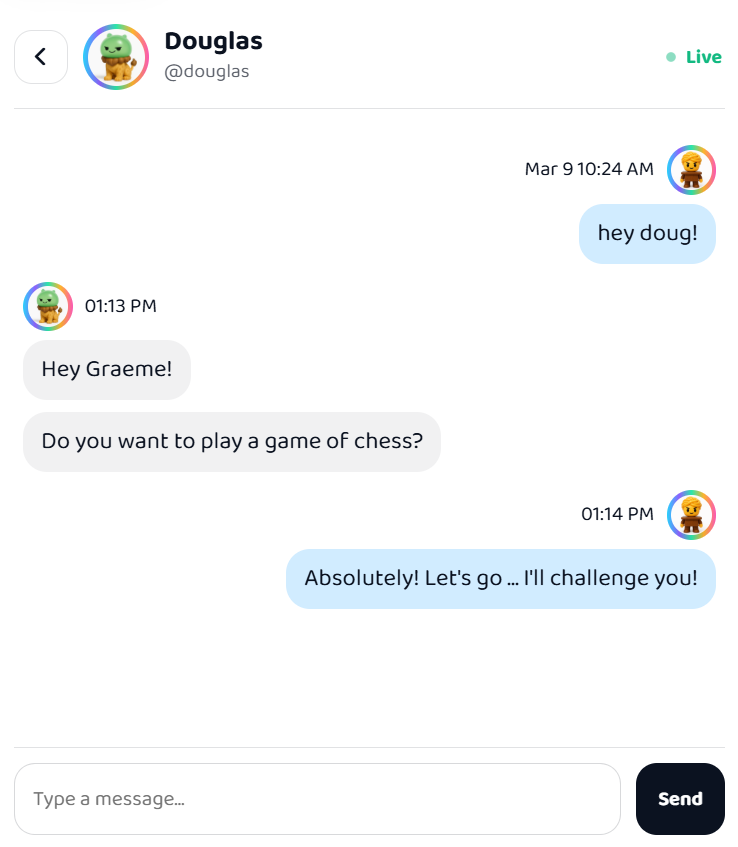
Chat — off by default. On when it helps.
Classroom chat starts disabled. Flip it on per classroom when it fits your grade or your style — one grade 5/6 teacher we work with turns it on intentionally to see how his students behave socially and coach in the moment. You're in charge, either way.
Everything in your classroom
Free forever. Every teacher, every classroom, every student — with new games shipping every month.
Free for classrooms.
- Every game, every exercise, every daily challenge
- Unlimited students per class
- Assignments + progress tracking
- Teacher demo mode to try games as a student
Why it's free — and how it stays that way: family subscriptions at home fund the classroom version. If your students come to love Friendrot, a mention to their parents — at conferences, in a class newsletter, in passing — is the most helpful thing in the world. No referral program, no tracking codes, nothing to sign up for. Just word of mouth from grown-ups parents trust.
How it works
Safe by design
We're parents building for our own kids — every classroom decision starts there.
Teacher-controlled roster
You add students, you remove students, you manage PINs. No self-signup. No account creation on the student side. Add, rename, or remove at any time from your dashboard.
Contained to your class
Students can only interact with their classmates. No public directory, no outside friend requests, no random matchmaking. The classroom is sealed.
Chat off by default
Classroom chat is disabled on creation. Enable it per classroom if you want — text only, 280 chars, no images or links, moderation tools built in.
No personal data
Students join with a first name and a PIN. No email, no birthday, no address, no photos collected. Ever. Avatars are the student's identity here — never their face.
Our promise
All About GoldRot
Friendrot's in-app currency — kids earn it by playing games and spend it on collectible avatars in the shop.
Purely for motivation. Kids love chasing it. Grown-ups love that nothing in Friendrot costs real money — no in-app purchases, no "boost" packs, no loot boxes. Not now, not ever.
Works on every device
Phones, tablets, Chromebooks, desktops — anything with a modern browser. Nothing to install. Kids pick up where they left off on whatever's nearby.
Questions
How do I set up a classroom?
Sign in with Google, choose "I'm a Teacher", and create a classroom from your dashboard. Add students by name — each gets a unique PIN. Print PIN slips, share your class code, and students join from any device at friendrot.com/join-class. No accounts or emails needed. Free, forever.
Can I assign specific exercises to students?
Yes. From your dashboard you can assign grade-aligned exercises to individual students or the whole class. You choose the exercise and the number of questions. Students see their assignments when they log in and can save and resume.
Can I track student progress?
Yes. Your dashboard shows what each student has been working on — game progress, exercise completion, assignment status, and head-to-head match history. Activity is tracked automatically, no setup required.
Can I manage the classroom after it's set up?
Yes. Rename students, add or remove them, regenerate the class code, print new PIN slips, enable or disable chat — all from your dashboard. You can also rename or delete the entire classroom.
Can I try games myself before using them in class?
Yes. Create a demo student profile from your dashboard to play any game or exercise exactly as students see it. The demo profile can also join your own classrooms so you can test assignments end-to-end.
What if students try to chat inappropriately?
Classroom chat is off by default. If enabled, it's text-only (280 char limit, no images, no links), with profanity filters and activity logs. You can disable chat again at any time. Students can only message classmates — there's no outside contact possible.
What devices does it work on?
Any device with a modern browser: Chromebooks, iPads, iPhones, Android tablets and phones, desktops, laptops. No app installs. Students go to friendrot.com/join-class and they're in.
Is it really free? What's the catch?
It's really free for classrooms — no credit card, no per-seat licensing, no ads, no data sold to anyone. The catch: the paid product is for families (a subscription). Teacher accounts stay free because classrooms are how we got started and how we keep getting better.
Ready for your classroom?
Free forever. No credit card. Classroom ready in under a minute.
Create your classroom